



I've been diving deep into financial independence planning lately, and as a developer, I naturally wanted a tool that does exactly what I need—without the clutter, ads, or privacy concerns of existing calculators out there. So I decided to build one from scratch using GitHub Copilot's agent mode in VS Code. What started as a simple "let's see what happens" experiment turned into a fully-featured, privacy-first PWA with 9 different calculators, all built in a single conversational chat session in about 30 minutes.
- Checkout the site: https://myfirenumber.com
- Checkout the code: https://github.com/jamesmontemagno/app-fire-calculator
The Starting Point
I had a clear vision: a FIRE (Financial Independence, Retire Early) calculator that respects user privacy. No cookies, no analytics, no data leaving the browser. Just pure client-side calculations with the ability to share scenarios via URL parameters.
My initial prompt was straightforward leveraging the plan agent in VS Code:
"I want to build a financial independence calculator app. It should be a React + TypeScript PWA with Tailwind CSS, dark mode support, and work completely offline. Privacy is key—no data storage, no analytics."
The plan agent got to work asking me questions along the way until it had the context it needed and I answered enough questions that I felt good about it getting to work. From there, Copilot scaffolded the entire project structure: Vite config, TypeScript setup, Tailwind with a custom "fire" orange color palette, and even service worker configuration for offline support. Within minutes I had a running dev server.
Iterating Through Features
What I love about working with Copilot in agent mode is the conversational flow. I didn't have to context-switch between planning and implementing. Each feature request built naturally on the previous one.
The Core Calculators
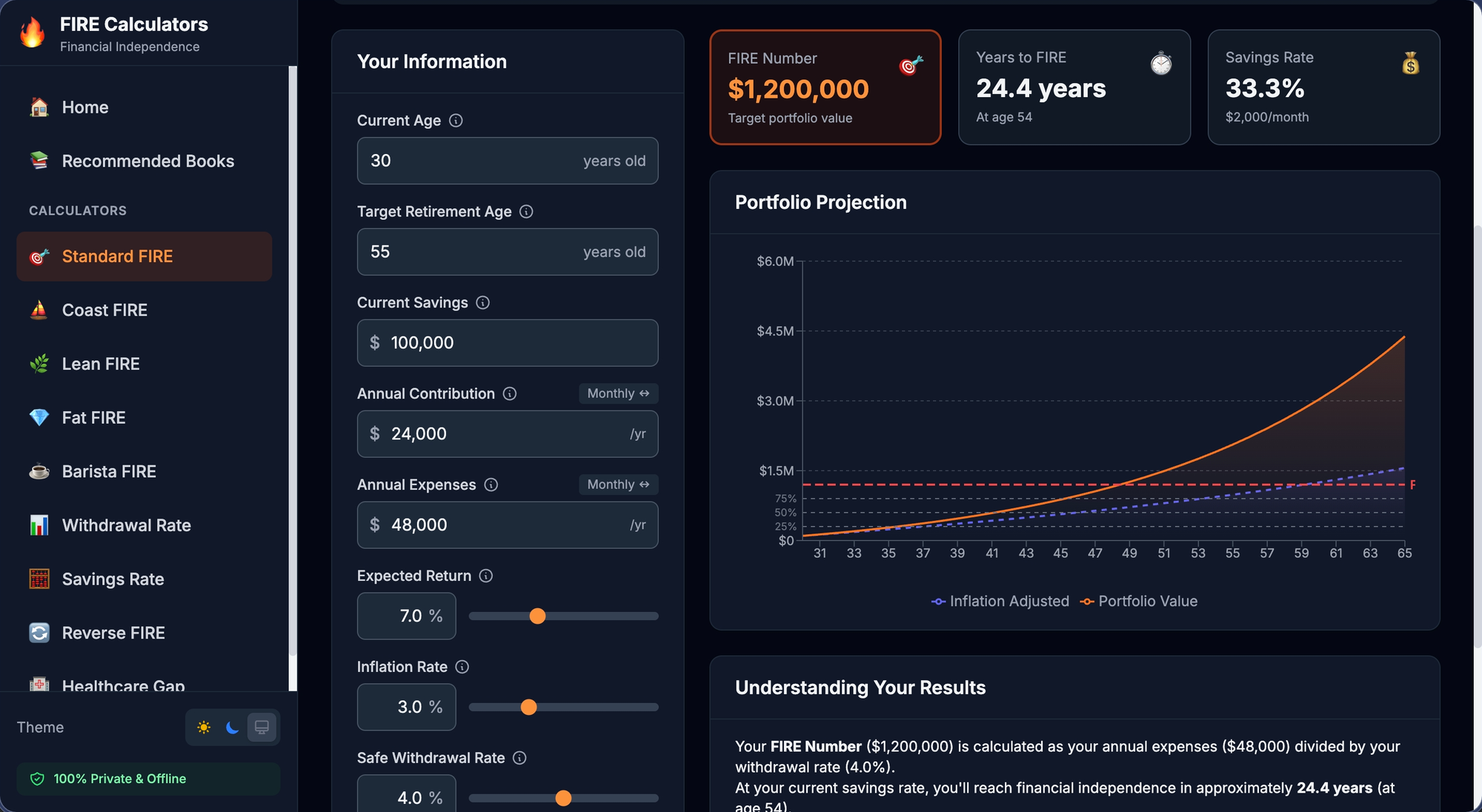
I started with the Standard FIRE calculator—the classic "25x your annual expenses" rule. Copilot generated not just the calculation logic but also:
- Responsive input components with tooltips explaining each field
- A beautiful projection chart using Recharts
- Real-time URL parameter syncing so users can bookmark or share their scenarios
- Result cards with the key metrics highlighted
Then came the variations:
"Now add a Coast FIRE calculator. Same structure but with the specific Coast FIRE math—how much do you need saved NOW so compound growth does the rest."
"Let's add Lean FIRE (≤$40k expenses) and Fat FIRE ($100k+ expenses) with appropriate warnings and lifestyle tips."
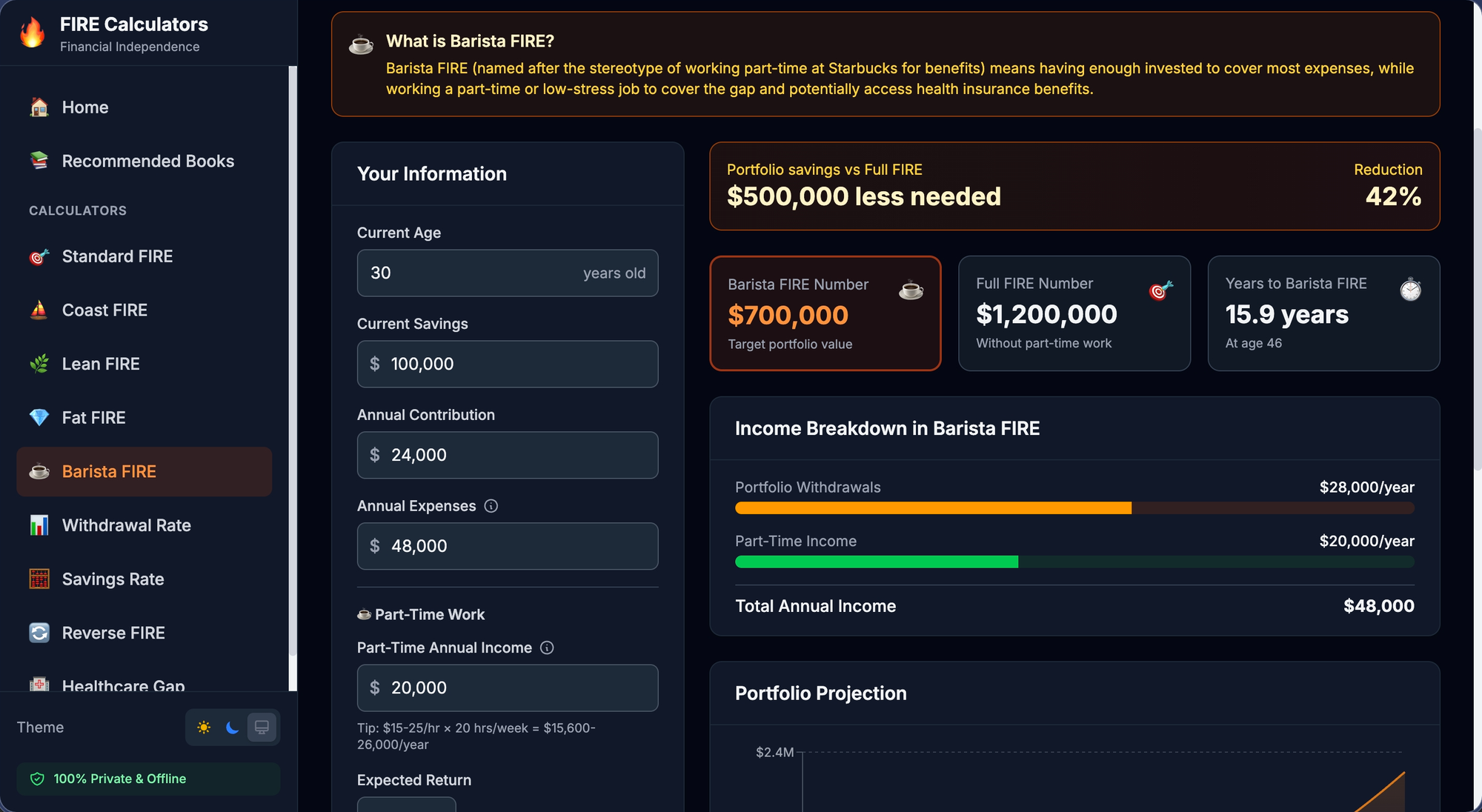
"Add a Barista FIRE calculator that factors in part-time income."
Each calculator maintained consistent styling while having its own personality—different color schemes, contextual explanations, and tailored result displays.
The Fun Additions
Halfway through, I asked for three more calculators that I hadn't seen done well elsewhere:
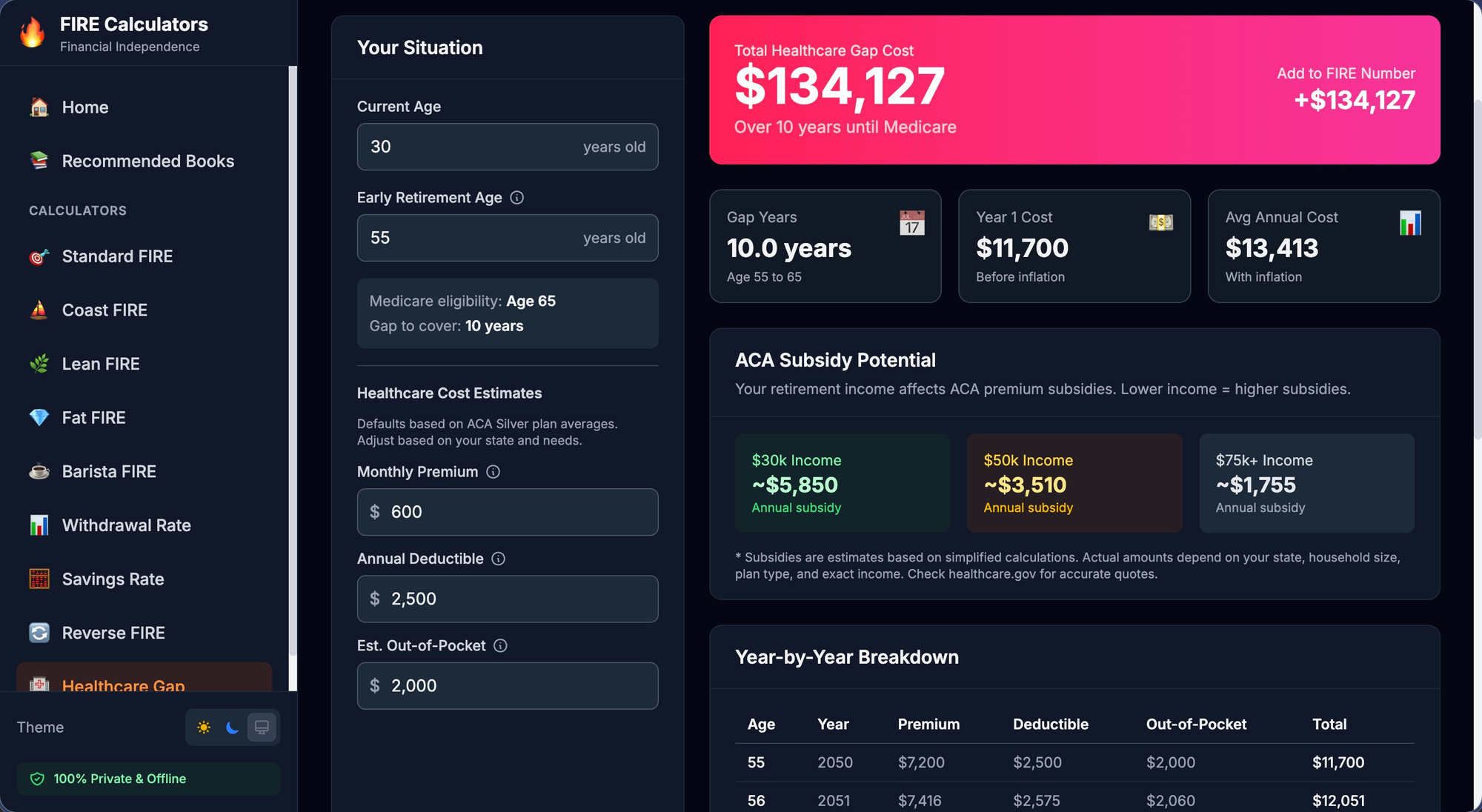
"Add these: 1) Savings Rate calculator that shows how your savings rate impacts years to FIRE, 2) Reverse FIRE that works backwards from a target retirement age, 3) Healthcare Gap calculator for estimating costs between early retirement and Medicare."
Copilot handled the math, the UI, and even added helpful reference tables and scenario comparisons. The Healthcare Gap calculator includes ACA subsidy considerations and strategies like health sharing ministries and Barista FIRE for benefits.
Real-Time Bug Fixes and Refinements
This is where the conversation got interesting. I noticed the Coast FIRE progress card was showing "2160%" instead of "21.5%". A quick:
"The Coast FIRE current progress card is showing an extremely high number—double check those calculations."
Copilot traced through the code and found the issue: the percentage was being multiplied by 100 twice—once in the calculation and again in the ResultCard's percent formatter. Fixed in seconds.
Another issue: the age input would snap to 18 whenever you tried to clear it to type a new value. Annoying UX.
"Entering the retirement age is weird because it sets it to 18 when I try to clear it out. Just don't calculate if invalid but allow entry."
The fix added local state management so users can freely type without the input fighting back, with validation only on blur.
Privacy and Polish
I asked for disclaimers on every page—this isn't financial advice, results are hypothetical, consult a professional. Copilot created a reusable Disclaimer component and added it to all 10 pages in one pass.
The app includes:
- No cookies or localStorage - Your financial data never leaves your browser
- No analytics - Zero tracking scripts, no Google Analytics
- URL-based sharing - Save calculations in the URL, bookmark or share as you choose
- Offline-first PWA - Works without internet after first load
- Open source - All code available on GitHub for transparency
Quality of Life Features
Throughout the session, I kept adding small enhancements:
"Add a monthly/annual toggle to the contribution and expenses inputs."
"Put a progress bar showing how far along you are toward your FIRE number."
"Add milestone lines at 25%, 50%, 75% on the projection charts."
"Quick preset buttons for common scenarios—conservative, moderate, aggressive."
Each request was implemented cleanly, maintaining the existing code style and patterns.
The Tech Stack
For those interested in the technical details:
- Vite + React 18 with TypeScript
- Tailwind CSS with custom fire-orange color palette
- Recharts for interactive projection graphs
- React Router for navigation with URL parameter persistence
- Vite PWA Plugin for service worker and offline support
- GitHub Pages for hosting
The entire codebase is well-organized:
src/
  components/
    charts/      # Recharts wrappers
    inputs/      # CurrencyInput, PercentageInput, AgeInput
    ui/          # Cards, Buttons, ProgressBar, Disclaimer
  pages/         # Each calculator as a page component
  hooks/         # useCalculatorParams for URL sync
  utils/         # All the FIRE math calculations
Key Takeaways
Conversational development works. Instead of writing detailed specs upfront, I could explore ideas naturally. "What if we also showed..." or "Actually, can you change that to..." kept the momentum going.
Copilot handles the boring stuff. Adding disclaimers to 10 pages? Tedious. Watching Copilot do it correctly in one multi-file edit? Satisfying.
Bugs get fixed in context. When something didn't work right, I could describe the symptom in plain English and Copilot would trace through the logic to find the root cause.
The result is production-ready. This isn't a prototype or demo—it's a real app I'm actually using to plan my own financial future.
Try It Yourself
The app is live at https://myfirenumber.com and the source is on GitHub.
All 9 calculators are there:
| Calculator | What it does |
|---|---|
| 🎯 Standard FIRE | Classic 25x expenses rule |
| ⛵ Coast FIRE | How much you need now so growth does the rest |
| 🌿 Lean FIRE | FI with minimalist lifestyle (≤$40k/year) |
| 💎 Fat FIRE | FI without compromising ($100k+/year) |
| ☕ Barista FIRE | Part-time work + portfolio income |
| 📊 Withdrawal Rate | Test portfolio longevity at different rates |
| 🧮 Savings Rate | How savings rate impacts time to FIRE |
| 🔄 Reverse FIRE | Work backwards from target retirement age |
| 🏥 Healthcare Gap | Costs between early retirement and Medicare |
Play with the parameters, bookmark your scenarios, and let me know what you think. And if you're curious about building your own apps with Copilot agent mode, just start a conversation—you might be surprised how far it takes you.
This blog was written with VS Code and Claude Sonnet 4.5 based on a conversational chat session. I also reviewed and slightly modified the content.
