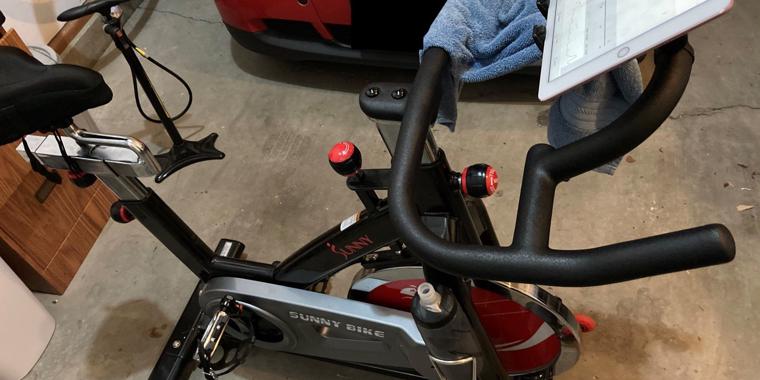
TLDR: I combined the Sunny SF-B1002 Bike, the moofit cadence sensor (now sold out, checkout the Magene sensor), a tablet holder, and gel seat cover to build my own at home spin bike ready for Apple Fitness+ and Peloton digital. In this blog I break down my entire decision process, review the bike setup combined the services, and give final impressions after 2 weeks.
I love cycling. I started to get into outdoor …
 James Montemagno
As winter approaches and the pandemic rages on and on I know I will be indoors even more than ever. Even though I am excited for cross-country skiing, I know I will miss the day (which is already here) that I am not going to be able to hop on my bike and go for a ride outside. I have always loved spin classes and pre-pandemic I used to go several times a month to in person classes for exercise. I have always thought …
James Montemagno
One of the most common mistakes when creating a new project for Android is to put "Android" in the name. You want to because your app is going to run on Android, but it causes a series of pain immediately with namespace conflicts. When you create a new Xamarin.Forms project you may have noticed that the Assembly Name and Default Namespaces are different. If you name your Xamarin.Forms project …
James Montemagno

Let's start our journey together to build beautiful native cross-platform apps with .NET, Xamarin, and Visual Studio! In this blog I am going to guide you through the entire process and describe everything that is in File -> New for Xamarin. If you are a more visual learner, I have a full video that you can watch:
Let's set some groundwork first by answering some frequent questions.
James Montemagno
Whoa! .NET 5 is out and C# 9 is out! This means you are ready to use records, new pattern matching, and more! But wait a second... your apps haven't been upgraded to .NET 5 yet or are a project type that don't support .NET so you don't have access to the new C# 9 features :( Or do you!?!?!?! Yes, of course you do! Most new features in C# are compiler based and not necessarily runtime based. When you create a new …
James Montemagno
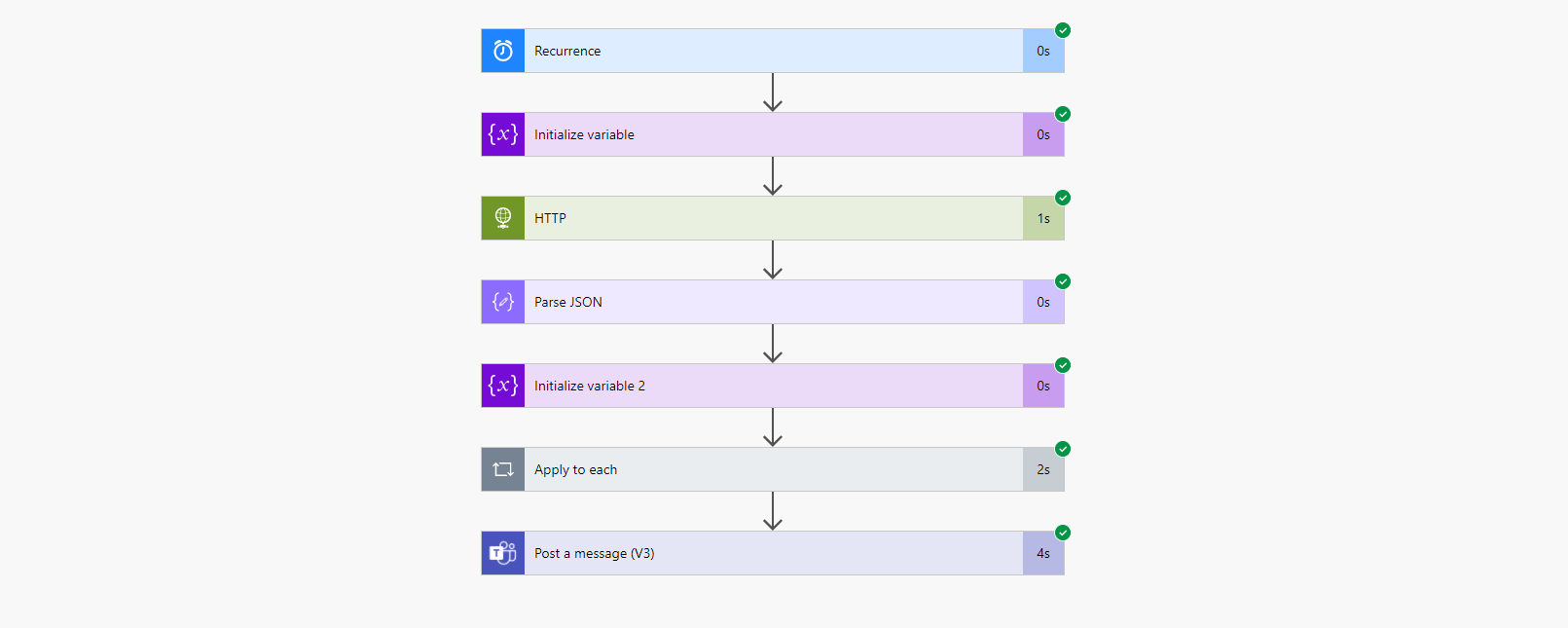
Every Monday at 9:15 my team and I gather for our weekly team meeting to talk about our achievements from the previous week and what are plans are for the current week. Traditionally during status updates people just go around the room, but in a virtual standup it is easy just to go down the list alphabetically. I don't feel like this is very fair to members in the meeting. When I became a new manager and setup the …
James Montemagno
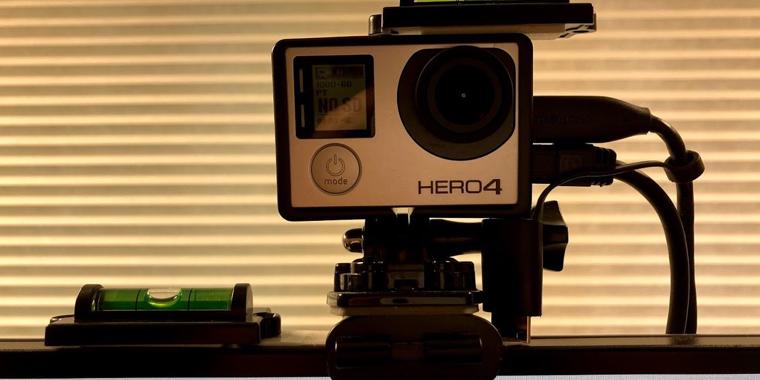
If you have been working from home more recently and started to invest in a sweet new home setup you may have upgraded your webcam. Most webcams mount on top of a monitor, but if you are going the DSLR or GoPro route then it has a mount on a mount or sometimes an arm. All of this can lead to complications of "straightening" your video output. If you are using a monitor arm like I am then there is yet …
James Montemagno