




When we demo, we're often trying to remember every command we need to enter. For Ignite, we have a series of .NET MAUI DevFlow commands to run, and remembering all of them just isn't going to happen! Sometimes you don't need to memorize anything. You just want the next item ready on your clipboard.
That is why I built Clipboard Next, a small, free, open-source app for Mac and Windows that lines up your commands, code snippets, and prompts so you can keep moving through your demo.
Here is a quick look at the idea:
A short, silent animation illustrating the command queue, terminal, and progress badge. You can also see the live animated demo on the Clipboard Next website.
Queue it up, then just paste
Add your snippets in the order you want to present, enable paste detection, and press Start. The first item lands on your clipboard. Paste with Command-V on Mac or Ctrl+V on Windows, and Clipboard Next copies the next item after a configurable delay. No trip back to your notes between commands.
Already have a Markdown demo script? Import it! Preview the code blocks, split them into individual lines or keep multiline blocks together, and optionally include blockquoted prompts.
A few little details make this useful beyond a straight list of commands:
- Keep your place: an optional floating progress badge stays visible without taking keyboard focus.
- Go off script: pause, resume, go back, skip ahead, or start from a selected snippet.
- Copy something else: the queue pauses rather than overwriting the different text you just copied.
- Keep it local: no account, telemetry, or cloud sync. Your queue stays on your device.
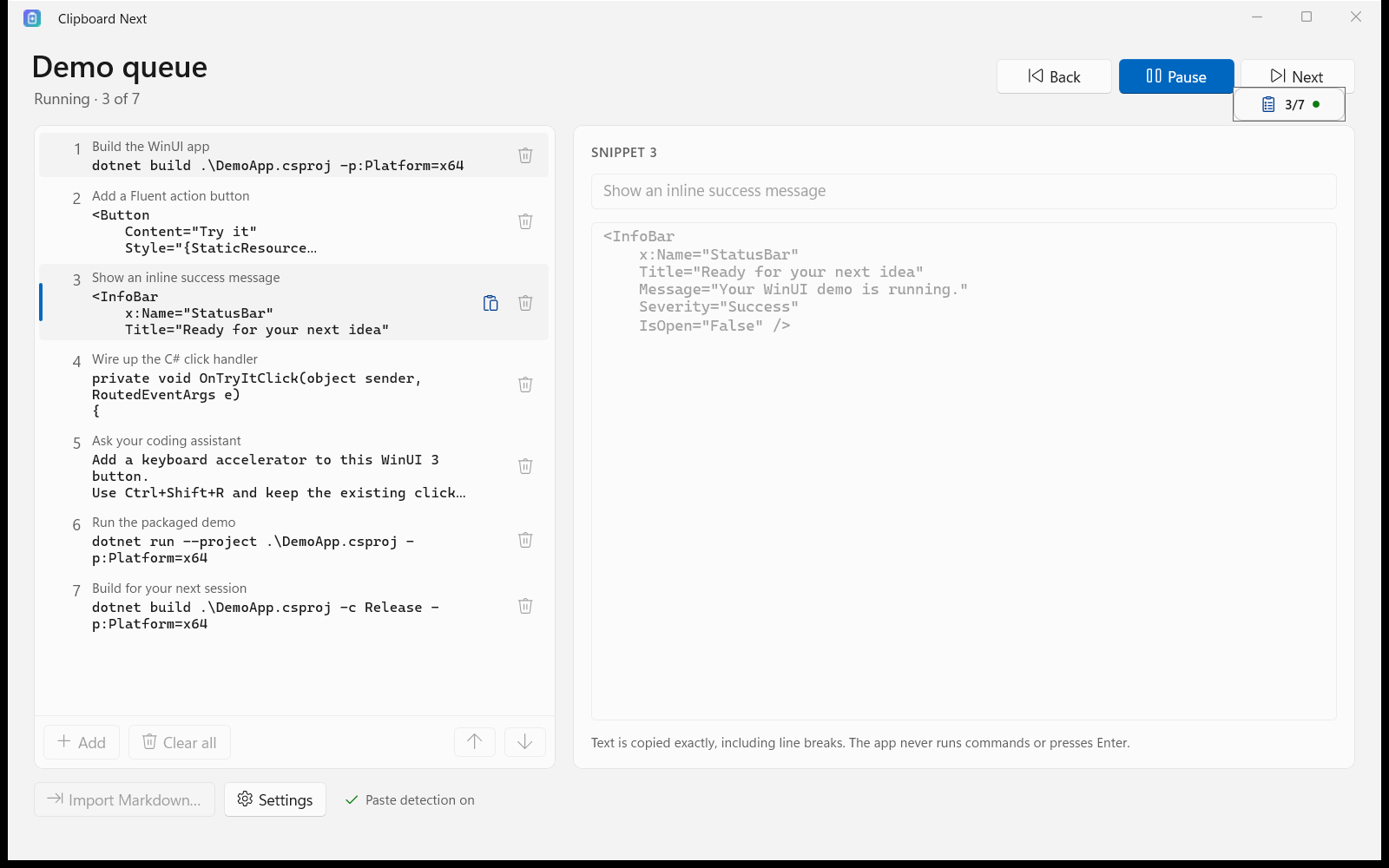
One thing to know: detection observes the paste shortcut, not whether the destination successfully pasted. Test your terminal or editor before presenting. The app doesn't run commands or press Enter, but multiline text can still execute when pasted into some terminals, so review your snippets.
Get Clipboard Next
On Mac, install with Homebrew or grab the signed, notarized app from GitHub Releases. You'll need macOS 14 or later and Input Monitoring permission for automatic advancement.
The Windows app targets Windows 11, with distribution through the Microsoft Store. Check the download page for release availability.
A little bit under the hood
The Mac version was pretty straightforward: Swift and SwiftUI for a native menu bar app, then Homebrew for installation. The Windows version is a native C#/.NET 10 app built with WinUI 3 and system tray controls. The queue logic was ported rather than shared, but both versions use a compatible queue-file format. If you're curious about how it works, check out the source on GitHub!