



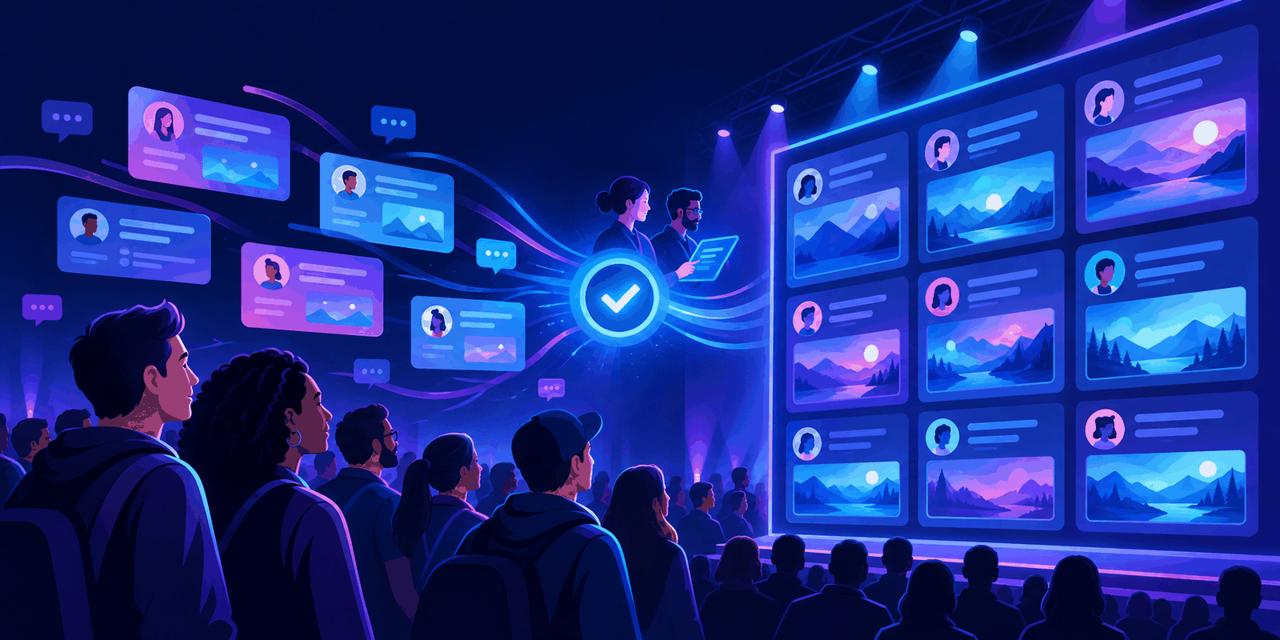
An event conversation doesn't happen in just one place. There is livestream chat, social media, and someone with a great question who doesn't want to create another account just to ask it.
For .NET Conf, we built the .NET Conf Community Wall to bring those conversations together. Throughout the event, it processed thousands of comments and posts across the different platforms, with 10 live moderators throughout the day reviewing what would appear on the wall. A huge thank-you to that team!
Now I'm sharing the reusable, open-source version: Event Social Post Wall. It is MIT licensed, built with .NET, and ready to customize for your own conference, meetup, livestream, or community event.
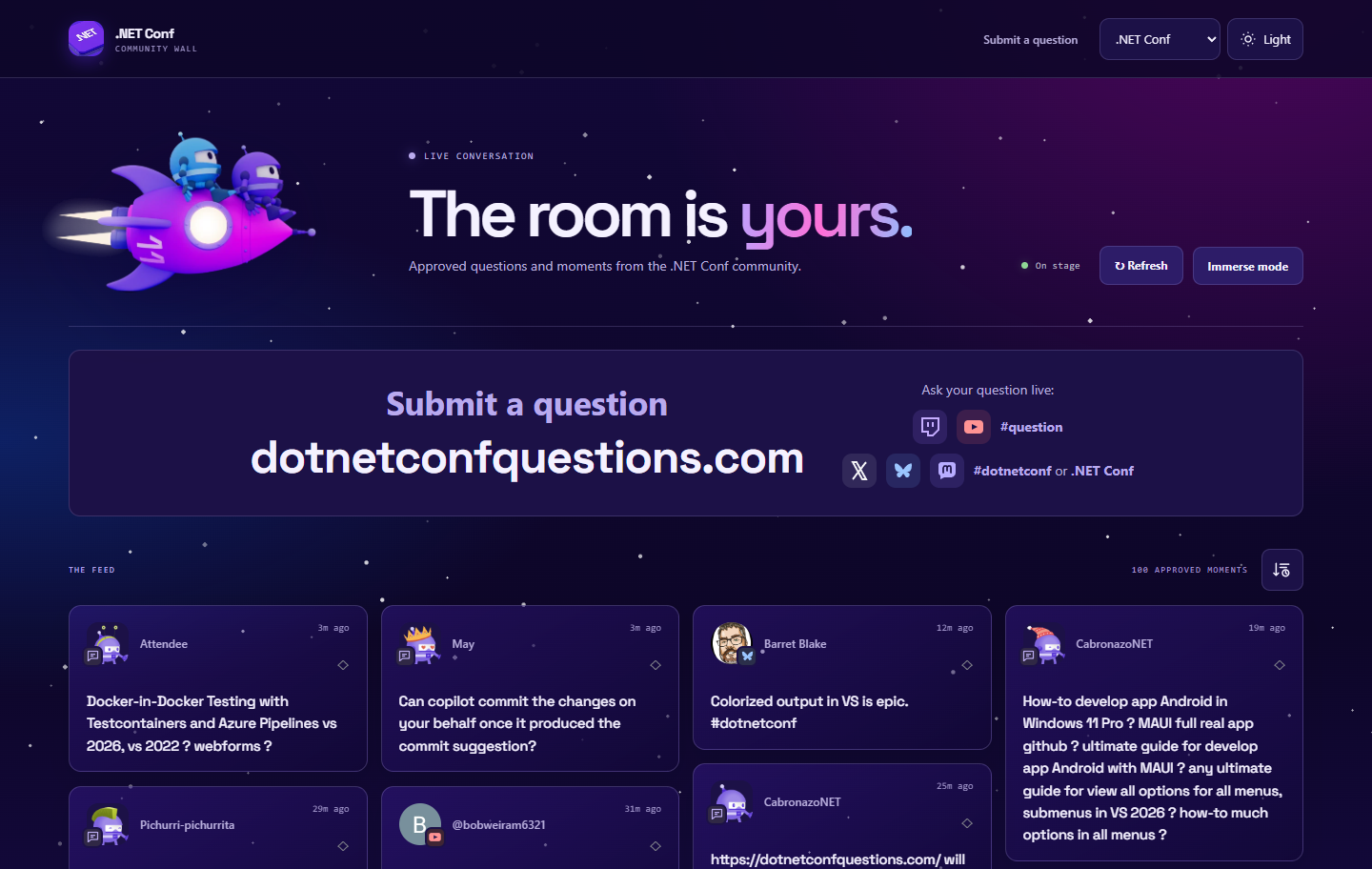
A community wall with people in control
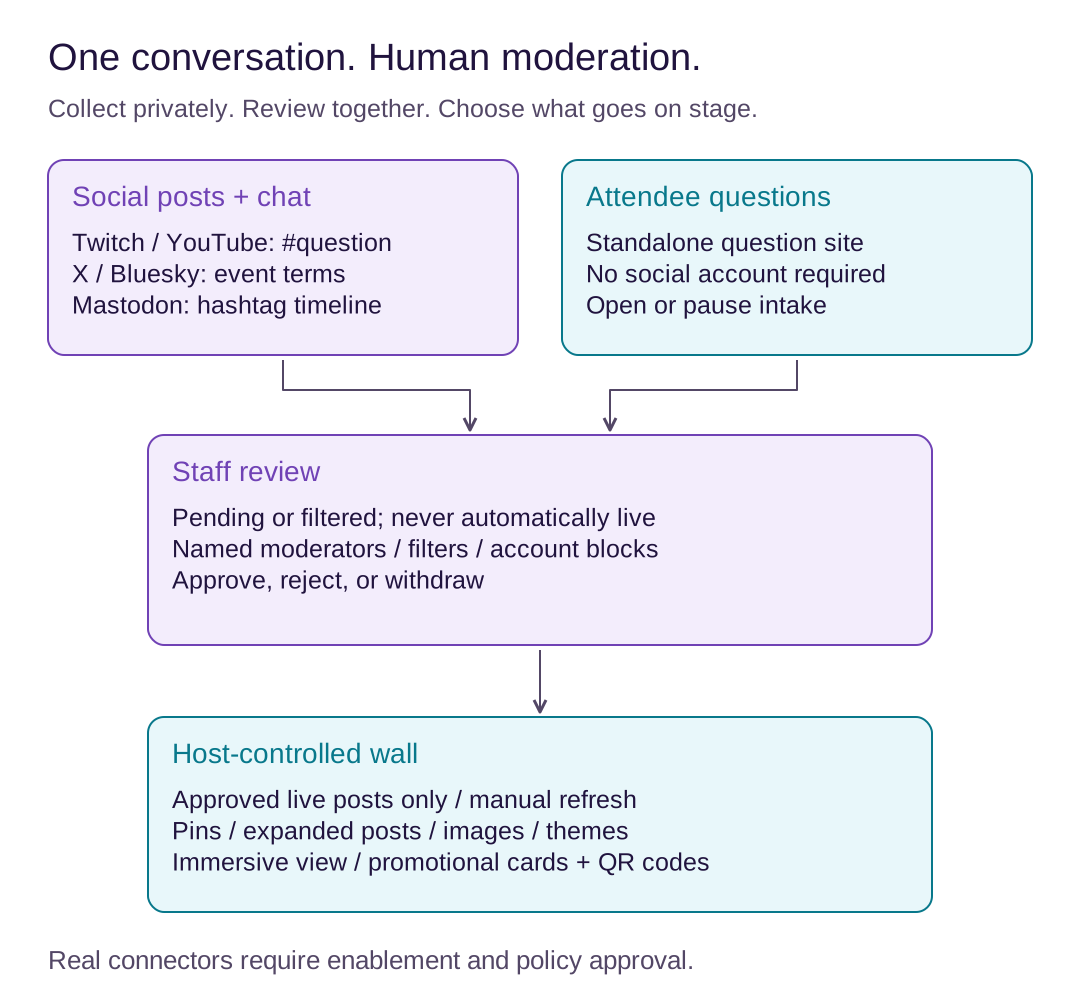
At .NET Conf, Twitch and YouTube chat used the exact #question tag. Social collection used #dotnetconf and ".NET Conf" event terms on X and Bluesky, plus the hashtag timeline on Mastodon. Attendees could also use our standalone question site without a social account.
Those are different entry points into the same workflow: collect, review, approve, present.
This isn't a public firehose of everything that mentions your event. The interesting part is the handoff: attendees contribute, moderators make decisions, and hosts choose what to discuss. Each group gets a different interface because those are genuinely different jobs.
A wall the hosts control
The wall supports images, light and dark themes, expanded posts, pinning, and an immersive presentation mode. Hosts can sort posts and decide when to bring newly approved content into view with Refresh.
That last part matters on stage. Approving a question shouldn't unexpectedly rearrange the screen while someone is reading another one! Pins and presentation preferences are local to the host's browser.
There are also promotional cards with links and QR codes for resources you want the audience to find.
A private space for the moderation team
The staff console includes a review queue, approved posts, search, source filters, and list or grid views. Named moderators can approve, reject, or withdraw posts, block verified social accounts, and manage promotional cards. Owners also manage team access, intake, source settings, manual entries, filters, and reports.
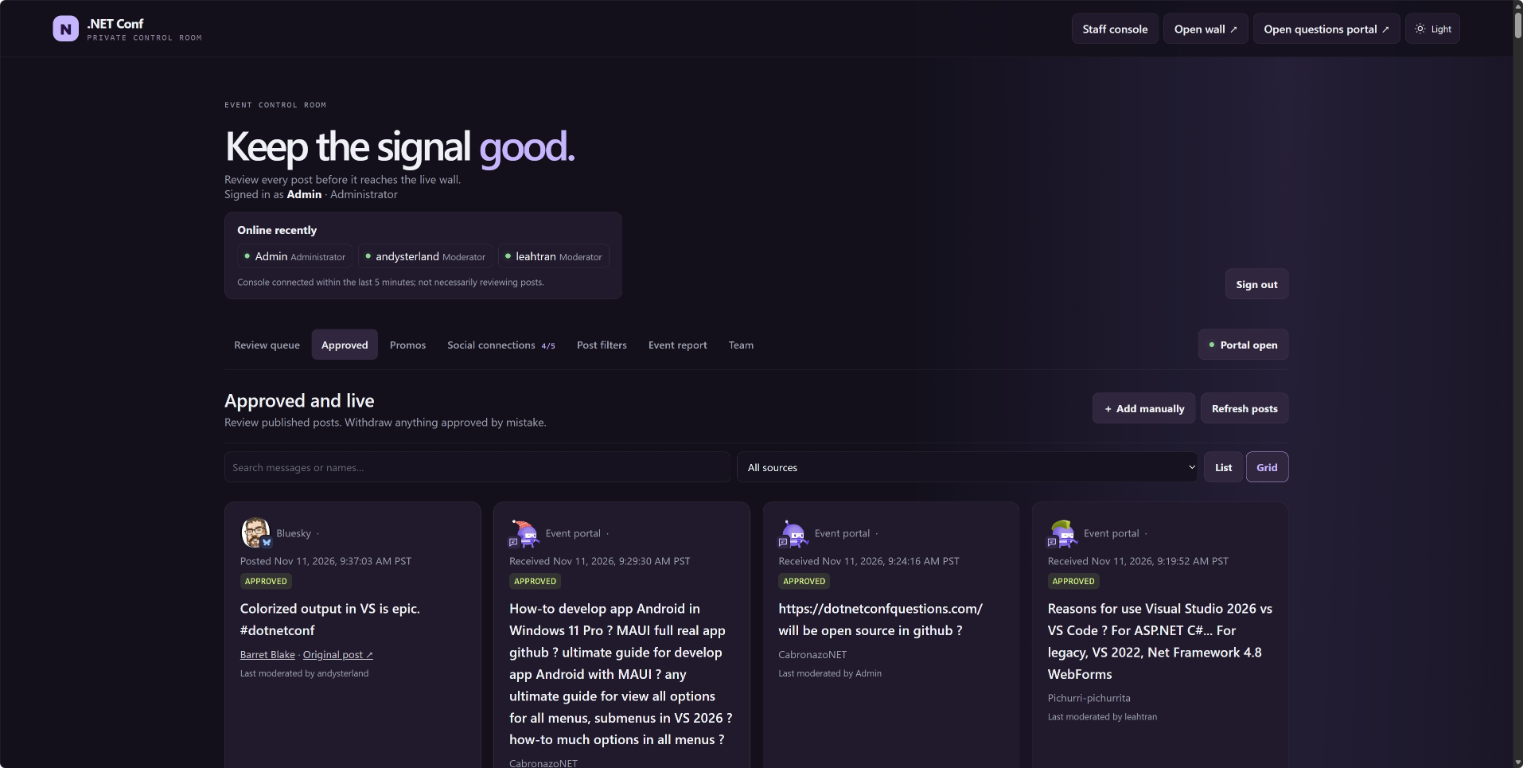
Filters help with spam, duplicates, profanity, and other unwanted content, but passing a filter never means automatic publication. New arrivals remain pending or filtered until staff choose to approve them. Detected material edits return decided posts to review.
The owner report covers moderation counts, queue activity, source health, and more. CSV/JSON exports and social analytics have separate provider-policy opt-ins; they aren't a license to export everything a platform makes public.
Team access also means you don't have to give everyone the owner's passcode. Invite moderators individually, rotate an invitation code when needed, and disable access after the event. Conflicting moderation decisions are detected rather than silently overwriting another person's work.
Questions without another account
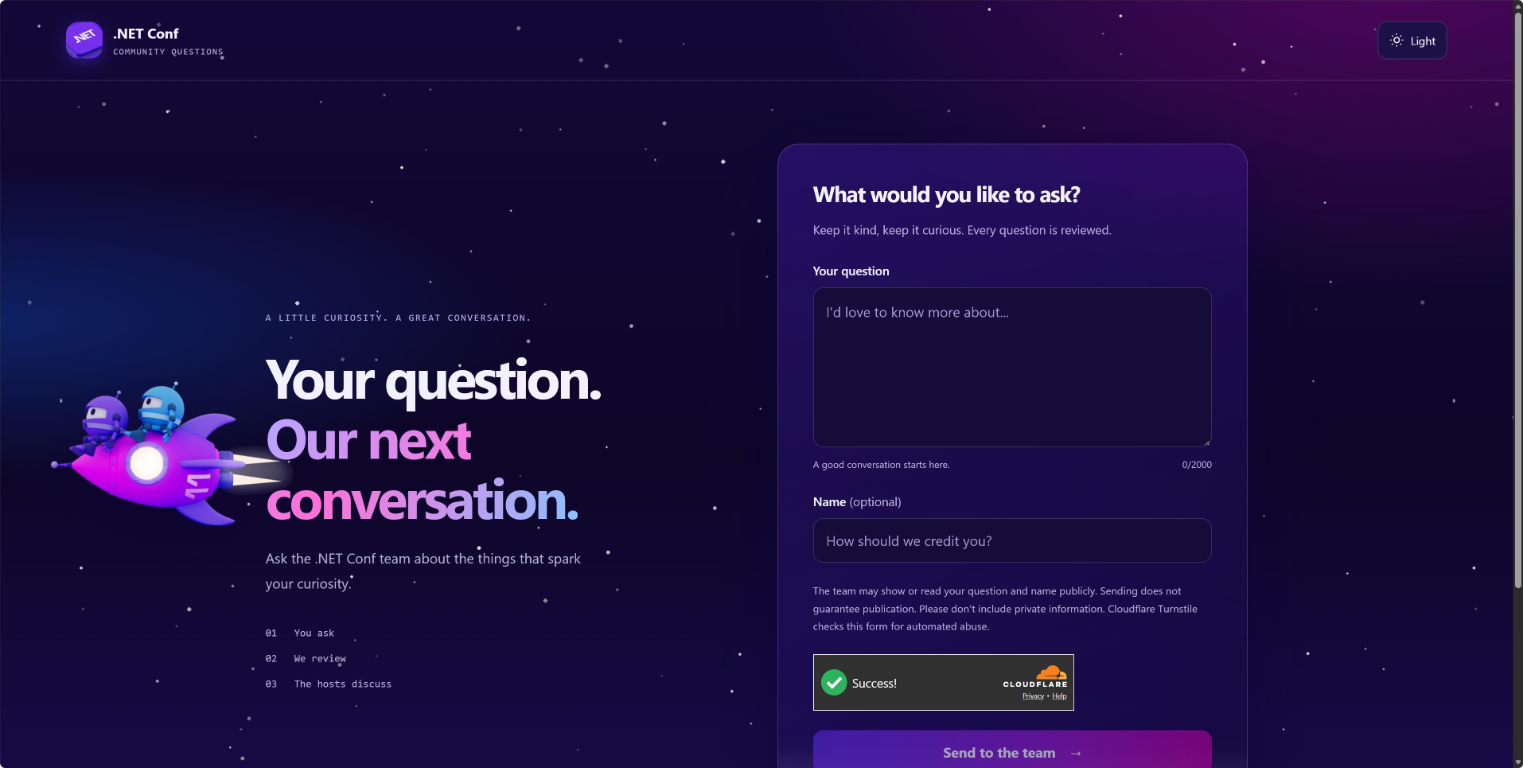
The question site is its own experience: write a question, optionally add a name, and send it for review. Staff can open or pause intake. Optional Cloudflare Turnstile verification adds another abuse-control layer without replacing moderation.
Watch the wall in action
Here is a walkthrough of the .NET Conf version, including how the pieces fit together:
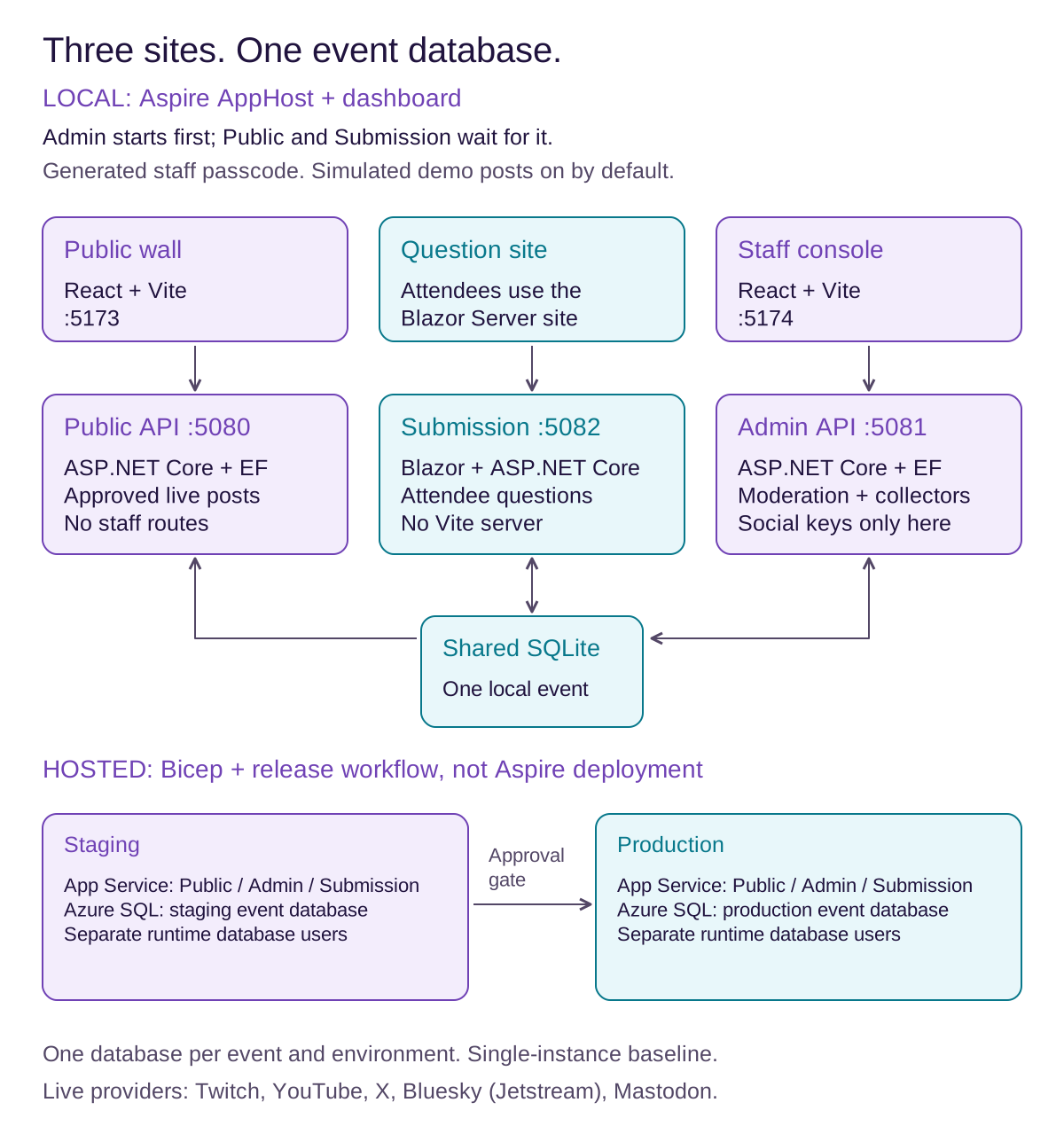
Three sites, one event database
For the developers out there, this is where things get interesting. The application has three separately deployed sites, not one website with an admin button hidden somewhere:
- Public: a React/TypeScript wall that reads approved, live posts.
- Submission: a standalone Blazor Server attendee question site.
- Admin: a React/TypeScript staff console whose backend also runs the Twitch, YouTube, X, Bluesky, and Mastodon collectors.
All three use the same ASP.NET Core 10 project with role-specific routes and services, backed by EF Core. Public and Submission don't register staff endpoints or social collectors. There is one database per event: SQLite for local development and Azure SQL when hosted.
Aspire brings the local stack together
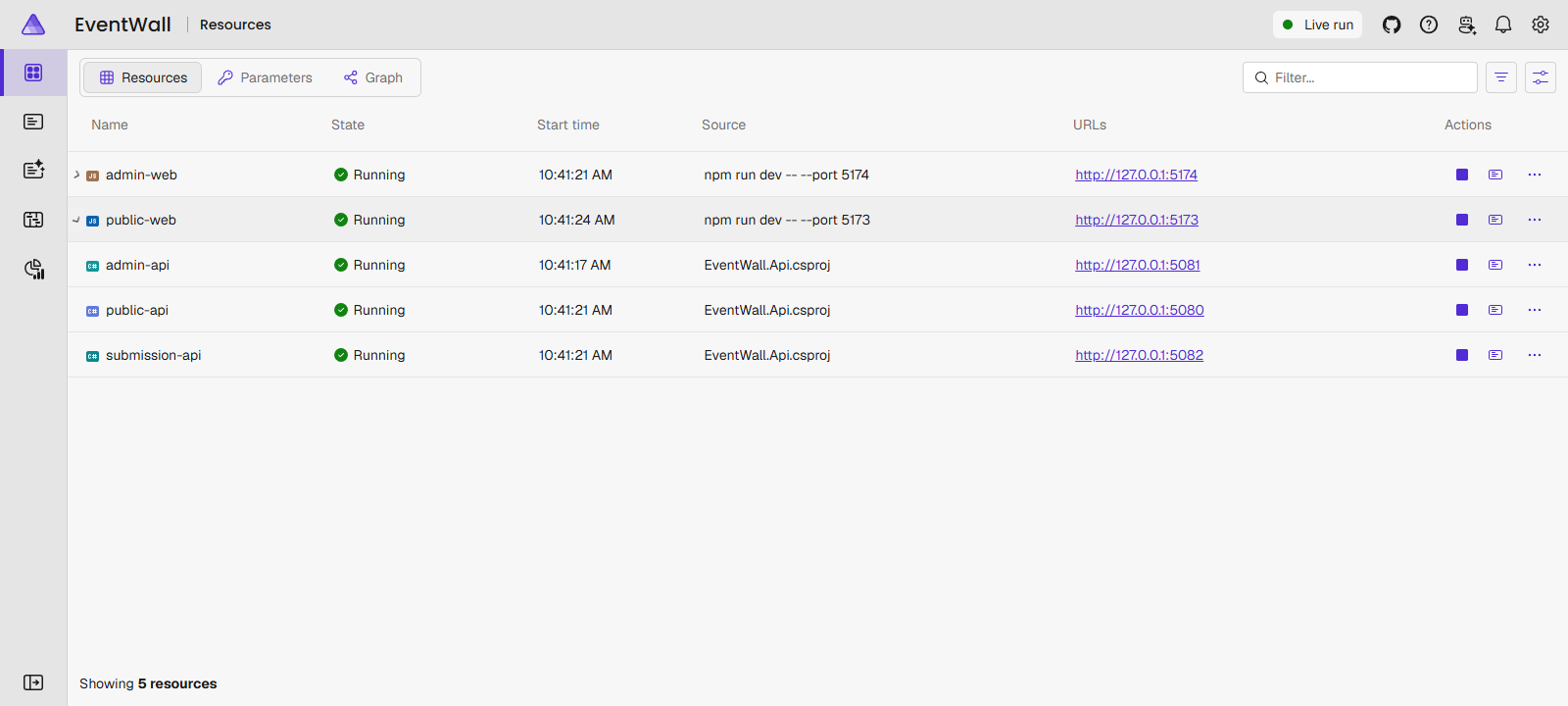
Instead of juggling terminals, Aspire starts three API roles and two Vite development servers. Public and Admin each have a React frontend; Submission serves Blazor directly, so there is no third Vite server.
Admin starts first so migrations finish before the other APIs start. The AppHost generates the staff passcode, enables simulated demo posts by default, and wires up the local resources. aspire run discovers and builds the AppHost, starts the stack, and prints the dashboard link.
That means you can explore the workflow without Docker, an Azure account, or social credentials. The dashboard gives you one place to inspect resources and logs instead of guessing which terminal belongs to which site.
Prefer the terminal? aspire logs admin-api -f follows the admin logs, aspire ps lists running AppHosts, and aspire doctor helps diagnose local setup issues. When you're finished, aspire stop stops the stack. You can also launch the same AppHost with dotnet run --project src\EventWall.AppHost.
One important boundary: this AppHost is local-only and refuses publish/deploy. Azure hosting uses Bicep, App Service, Azure SQL with separate runtime database users, and a release workflow that deploys to staging before an approved production promotion.
Every real connector starts disabled and requires explicit enablement and policy approval. Provider behavior also differs: Bluesky uses Jetstream, while X and Mastodon polling have deletion-detection limitations. Withdrawals leave the wall on its next successful check, not instantaneously. The platform guides explain those trade-offs.
Run your own community wall
Start with the repository and getting-started guide. You'll need the .NET 10 SDK, a supported Node.js version, and, preferably, the Aspire CLI. After the documented setup, aspire run brings up the local demo.
Try submitting a question, approving it, and refreshing the wall. Then customize your event name, hashtag, and question-site URL before enabling real sources.
You don't need the original .NET Conf domains or cloud account. The documentation covers branding, provider connections, and an event-day rehearsal checklist so you can test the complete experience before putting it on a projector.
For hosting, follow the Azure deployment guide. The included baseline is single-instance; review the scaling guidance before increasing capacity.
Want to dig deeper? Check out the architecture docs and editable diagrams: moderation workflow and application architecture.
What's next?
Next up, I plan to upgrade the project to .NET 11 and bring some new Blazor features into the attendee question experience. The version you can try today runs on .NET 10; those updates are still ahead.
I'm excited to keep building on this! In the meantime, bring the conversation together, keep people in control, and make it your own.