




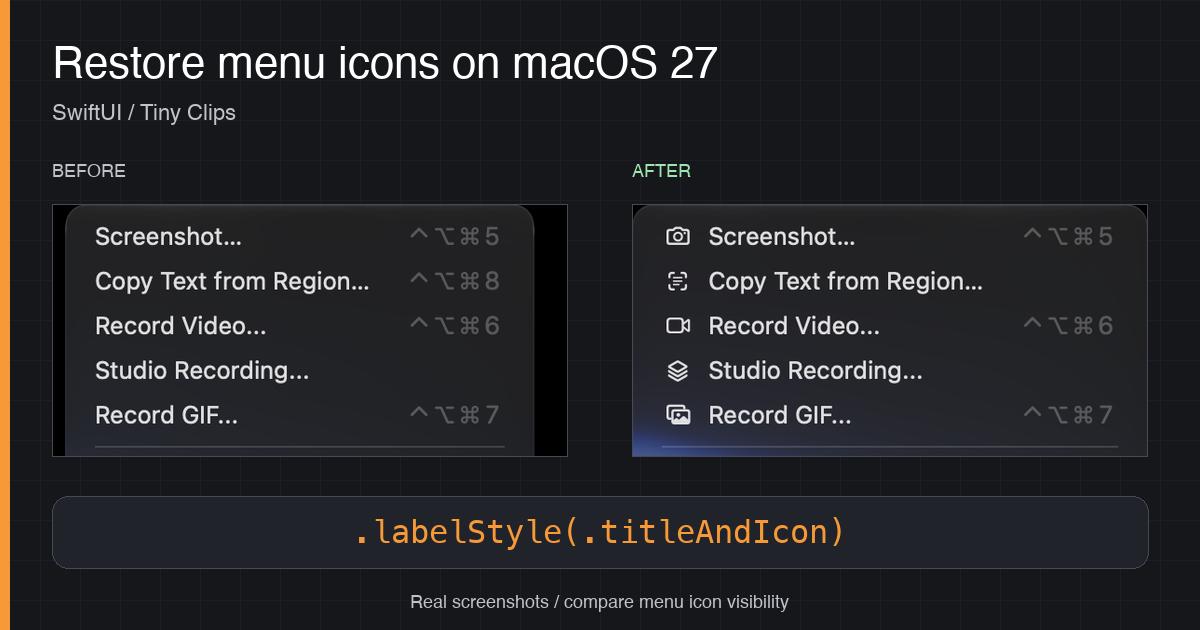
Real Tiny Clips screenshots, cropped to compare capture-menu icon visibility before and after the label-style change.
Tiny Clips had a nice little dropdown full of icons on macOS 26. On macOS 27, most of those icons disappeared from its SwiftUI MenuBarExtra menu. The labels were still there, but the menu looked quite different.
If your app uses symbol images in SwiftUI menus, you might be seeing the same thing. Before you start replacing your SF Symbols or building an AppKit bridge, check the menu's label style!
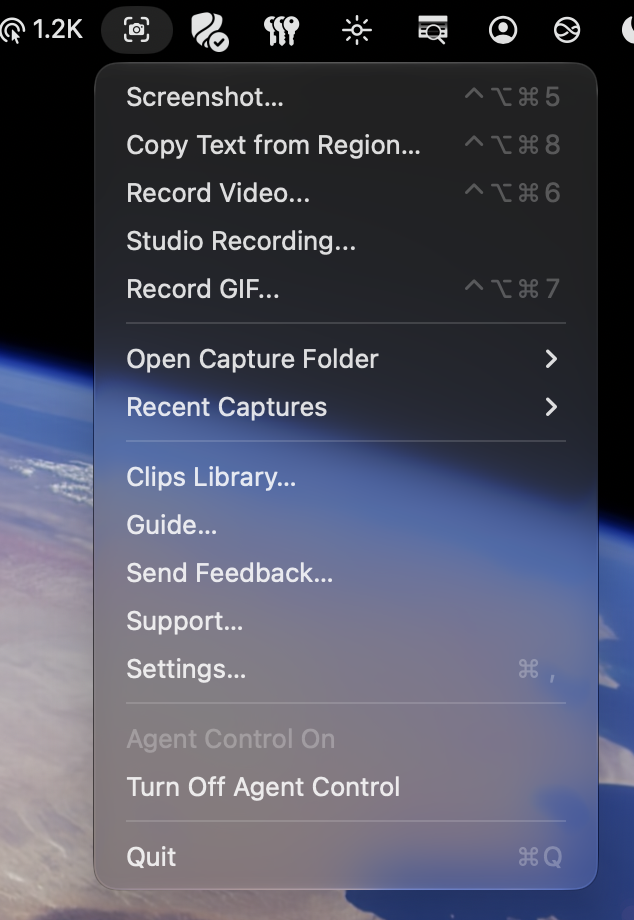
Where did the icons go?
This is an intentional default change, not necessarily a missing image or a broken Label.
In the macOS 27 release notes, SwiftUI entry 170480710 explains that menu bar menus and macOS context menus now show a reduced set of images:
- Symbol images are hidden by default in most contexts.
- Non-symbol images remain visible, according to the SwiftUI entry.
- Common system items such as Settings, Share, and Print still get default visible images.
That last detail explains why a menu can look inconsistent: some icons survive even when most of your app's symbols disappear.
Apple recommends reviewing which items actually benefit from images, particularly items representing an object or concept rather than an action. You don't have to opt every menu back in. However, when you do want to preserve an existing icon-driven menu, SwiftUI already has the modifier you need.
The one-line SwiftUI fix
Use .labelStyle(.titleAndIcon) on the content inside MenuBarExtra.
The Tiny Clips implementation PR adds the modifier in mac/TinyClips/TinyClipsApp.swift. The existing content view becomes:
MenuBarContentView(captureManager: captureManager, sparkleController: sparkleController)
    .labelStyle(.titleAndIcon)
That is the whole code change: one added modifier!
Applying the style to the content view sets it for the labels within that hierarchy, rather than changing label styling across the entire app. In Tiny Clips, that scope includes submenu labels and recent-capture labels with thumbnails or symbol fallbacks. It doesn't create images for text-only items.
There is no AppKit bridge, private API, new dependency, or macOS version branch. The existing actions, keyboard shortcuts, and platform guards stay unchanged.
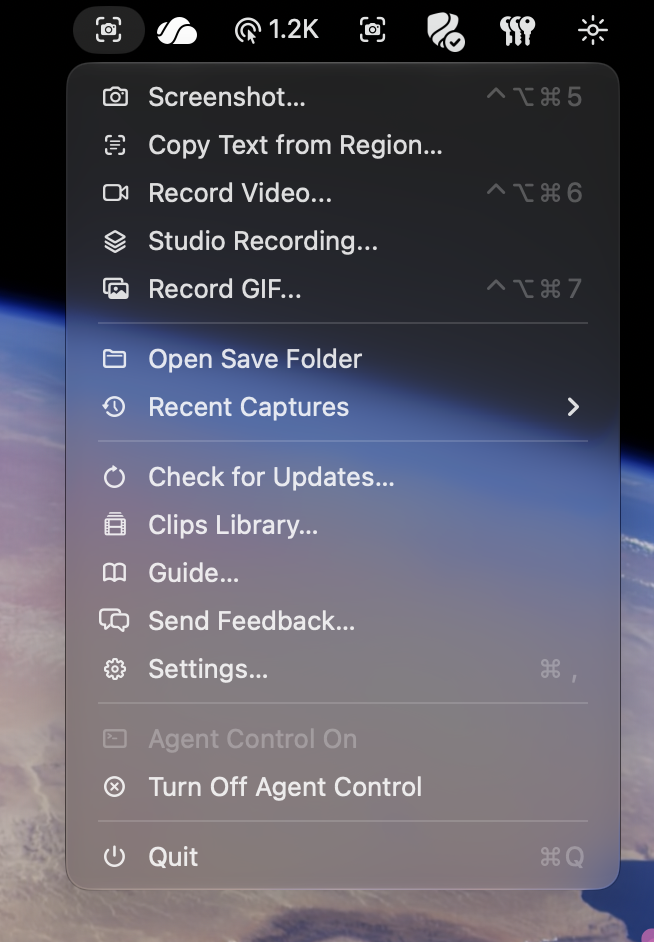
There are the icons!
Does this raise the minimum macOS version?
No, not for Tiny Clips. labelStyle(_:) is available from macOS 11.0, and .titleAndIcon is available from macOS 11.3. Tiny Clips already supports macOS 15.0 and newer, so this change doesn't need an availability check.
Using AppKit instead?
If you create NSMenuItem instances directly, AppKit has a separate preferredImageVisibility property on macOS 27 and newer:
if #available(macOS 27.0, *) {
    menuItem.preferredImageVisibility = .visible
}
Here, menuItem is your existing NSMenuItem. This is the AppKit option, not an extra step for SwiftUI. AppKit's release notes also describe SDK-linkage-dependent image visibility; don't apply those rules to SwiftUI's separate release-note entry.
For a SwiftUI MenuBarExtra like Tiny Clips, start with the supported label-style modifier. A small, scoped change beats replacing your menu just to ask for its icons back.
Happy coding.